
LLM Bootcamp
This project-based bootcamp is designed for beginners to dive practically into the world of Large Language Models (LLMs). Through hands-on building, you will learn how to interact with top-tier AI APIs, master prompt engineering, orchestrate complex workflows using LangChain, and implement Retrieval-Augmented Generation (RAG) to query your own documents. By the end of this course, you will have the skills to build, test, and deploy a fully functional, custom AI web application.
Dipercaya oleh Perusahaan Terkemuka









































Tentang Kursus Ini
This project-based bootcamp is designed for beginners to dive practically into the world of Large Language Models (LLMs). Through hands-on building, you will learn how to interact with top-tier AI APIs, master prompt engineering, orchestrate complex workflows using LangChain, and implement Retrieval-Augmented Generation (RAG) to query your own documents. By the end of this course, you will have the skills to build, test, and deploy a fully functional, custom AI web application.
Silabus Kursus
01 Introduction to LLMs & Prompt Engineering Fundamentals
Introduction to LLMs & Prompt Engineering Fundamentals
- What are Large Language Models? (Basic intuition, tokens, and context windows).
- Setting up and interacting with LLM APIs (OpenAI / Gemini API).
- Prompt Engineering 101: Zero-shot and Few-shot prompting.
- Controlling the output: Understanding Temperature, Top-P, and Max Tokens.
- Mini Project: Building a CLI-based Language Translator and Tone Analyzer.
02 Advanced Prompting Strategies
Advanced Prompting Strategies
- Chain-of-Thought (CoT) prompting for complex reasoning.
- System prompts and persona assignments.Handling hallucinations and setting guardrails in prompts.
- Output formatting (forcing JSON outputs).
- Mini Project: Creating a structured Data Extraction tool (extracting entities from unstructured text into JSON).
03 Orchestrating LLMs with LangChain
Orchestrating LLMs with LangChain
- Introduction to LangChain: Why use an LLM framework?
- Core components: Models, Prompts, and Output Parsers.
- Building simple LLM Chains.
- Implementing Memory: Giving your LLM conversation history.
- Mini Project: Building a Terminal Chatbot that remembers user context and previous conversations.
04 Text Embeddings & Vector Databases
Text Embeddings & Vector Databases
- Understanding Text Embeddings: How AI reads and measures semantic similarity.
- Document Loading and Text Splitting strategies (Chunking).
- Introduction to Vector Databases.Storing and querying vectors using ChromaDB (Local).
- Mini Project: Building a semantic search engine to find relevant paragraphs within a large text file.
05 Retrieval-Augmented Generation (RAG) Basics
Retrieval-Augmented Generation (RAG) Basics
- The architecture of a RAG system.
- Connecting the Vector Store Retriever to an LLM Chain.
- Crafting the perfect RAG prompt to synthesize retrieved data.
- Mini Project: "Chat with a Document" (A script that answers questions strictly based on a single uploaded PDF).
06 Building LLM Agents & Tool Integration
Building LLM Agents & Tool Integration
- What is an LLM Agent? (Reasoning and acting).
- Giving LLMs access to the outside world (Tools).
- Integrating external APIs (e.g., Wikipedia, Web Search, Calculators).
- Mini Project: Creating a "Research Assistant Agent" that can search the internet to answer current-event questions and summarize the findings.
07 Exploring Open-Source LLMs & Local Execution
Exploring Open-Source LLMs & Local Execution
- Navigating the Hugging Face ecosystem.
- Introduction to Ollama for local LLM inference.
- Running models (like Llama 3 or Mistral) locally on your machine.
- When to use Cloud APIs vs. Local Open-Source models.
- Mini Project: Modifying the previous RAG pipeline to run 100% locally and offline.
08 Building User Interfaces & Deployment
Building User Interfaces & Deployment
- Introduction to Streamlit for rapid web app development.
- Connecting LangChain logic and session state to a Streamlit UI.
- Designing an intuitive chat interface.
- Basic deployment concepts (e.g., Streamlit Community Cloud).
- Mini Project: Wrapping the terminal chatbot into a responsive web application.
Proyek Akhir
Domain-Specific AI Knowledge Assistant
For the final project, students will build an interactive, end-to-end web application that serves as a specialized virtual assistant for a specific domain of their choice (e.g., coding documentation, HR manuals, cooking recipes, or academic papers). Using a complete RAG architecture, the application will bypass general LLM knowledge to answer user queries strictly based on the custom documents uploaded to its database.
Mengapa Memilih Training Korporasi?
Program training yang disesuaikan dengan kebutuhan tim dan organisasi Anda
Diskon Tim
Dapatkan harga khusus untuk pendaftaran grup. Semakin banyak peserta, semakin besar diskonnya.
Kurikulum Kustom
Materi training dapat disesuaikan dengan kebutuhan spesifik tim dan proyek perusahaan Anda.
Jadwal Fleksibel
Pilih waktu training yang sesuai dengan tim Anda: hari kerja, akhir pekan, atau sesi khusus di kantor Anda.
Sertifikat Resmi
Semua peserta menerima sertifikat profesional setelah menyelesaikan training.
Dukungan Pasca-Training
Dapatkan akses konsultasi gratis selama 30 hari setelah training untuk memastikan implementasi yang sukses.
Proyek Nyata
Peserta akan mengerjakan proyek nyata yang dapat segera diterapkan di lingkungan kerja mereka.
Butuh program training yang disesuaikan untuk tim Anda?
Minta Penawaran KorporasiDipercaya oleh Perusahaan Terkemuka
Lihat apa yang dikatakan klien korporasi kami tentang program training kami
Pertanyaan yang Sering Diajukan
Temukan jawaban untuk pertanyaan umum tentang program training kami
Ya, kami menyediakan opsi training online (remote), offline (di kantor Anda, khusus korporasi), atau hybrid berdasarkan kebutuhan tim Anda. Semua format mendapatkan materi dan sertifikat yang sama.
Kami menawarkan tiga format. Privat 1-on-1 selalu tersedia dan dapat dimulai kapan saja untuk 1 orang. Grup Kecil adalah kelas berisi 2-4 orang dengan harga per peserta. Perusahaan adalah batch tim berisi 6-8 orang dengan satu harga per batch yang transparan — semakin banyak peserta, semakin hemat per orang (mulai hemat di 6 peserta, hingga 25% di 8 peserta). Untuk tim di luar rentang ini, silakan hubungi kami untuk penawaran khusus.
Tentu saja. Kami menawarkan layanan kurikulum kustom di mana materi dapat disesuaikan dengan tumpukan teknologi, proyek aktif, dan kebutuhan spesifik tim Anda.
Privat 1-on-1 adalah opsi premium kami (selalu tersedia, harga tertinggi). Grup Kecil (2-4 orang) lebih terjangkau per peserta. Training Perusahaan dihargai per batch untuk tim 6-8 orang dengan harga awal yang transparan — hemat hingga 25% per orang di batch penuh. Untuk tim yang lebih besar, hubungi kami untuk penawaran khusus.
Durasi training bervariasi tergantung materi. Untuk training korporasi, jadwal dapat disesuaikan dengan kebutuhan tim Anda - hari kerja, akhir pekan, atau jadwal kustom.
Ya, semua peserta yang menyelesaikan training akan mendapatkan sertifikat resmi dari Rumah Coding. Sertifikat digital dapat diverifikasi secara online.
Tentu. Kami menyediakan dukungan konsultasi gratis selama 30 hari setelah training untuk membantu implementasi. Peserta juga mendapatkan akses ke komunitas eksklusif dan materi rekaman training.
Masih punya pertanyaan?
Hubungi Tim KamiKursus Terkait
Python Fundamentals
Master the fundamentals of Python through hands-on, real-world projects. Designed for absolute beginners, this course takes you from writing your first line of code to building a fully functional application. By the end of this course, you will have a solid grasp of core programming concepts, data structures, and file management, laying a strong foundation for future studies in Data Science, Web Development, or Automation.
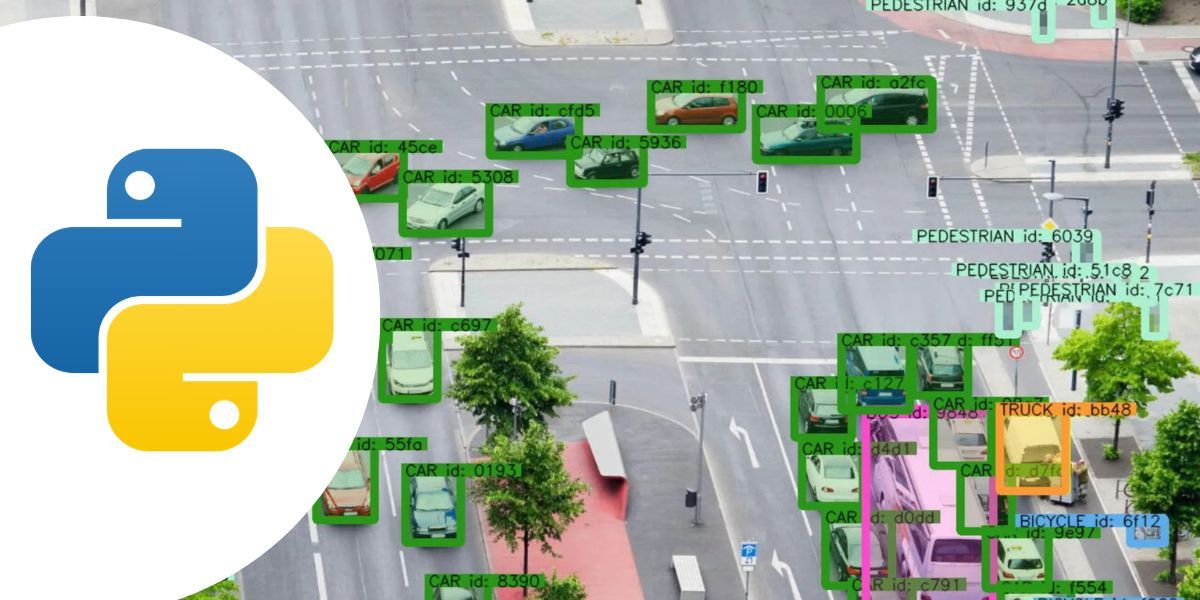
Object Detection and Tracking with YOLO
Dive into the world of computer vision with this beginner-friendly, project-based course. Learn how to leverage the powerful YOLO (You Only Look Once) architecture to build real-time AI applications from scratch. Through hands-on exercises, you will master everything from running pre-trained models and creating custom datasets to implementing robust object tracking. By the end of this journey, you will have the practical skills to build and deploy your own intelligent vision systems.

Data Science with Python
Master the art of data analysis, visualization, and predictive modeling.
Deep Learning Bootcamp
A beginner-friendly, highly interactive bootcamp designed to take you from foundational concepts to deploying real-world Artificial Intelligence applications. Through a completely project-based approach, you will master the core of Deep Learning, Artificial Neural Networks, and Computer Vision using Python and TensorFlow, ultimately building a professional-grade AI web application for your portfolio.
Harga & Pilihan Format
Pilih format belajar yang paling sesuai untuk Anda
Privat (1-on-1)
Selalu tersedia · eksklusif satu-satu, mulai kapan saja
/peserta
Grup Kecil
Kelas kecil 2-4 orang
/peserta
Perusahaan
Harga batch transparan untuk tim
Mulai dari Rp 27.000.000
/batch